// a new editor for an old language

QUAKEC STUDIO

An IDE for QuakeC, the language behind id Software's Quake. Save your code and watch the running game change. Compiler, debugger, agent and map editor included.

Download Get started

Version 2026.11.5 · free and open source (GPL-3.0) · macOS, Windows, Linux

Shoot a grunt, pause, raise the weapon's damage and save. The game picks up where it was, and the next shot uses the new code.

What it does

Save and see it in the game

Press Play and the mod runs in QuakeC Studio's own engine, in the Game tab or its own window. Each save compiles the project and reloads its code into the map that's already running. Fields and globals carry over, and if something would be reset the IDE tells you which and offers a map restart.

81 ms from save to game (95th percentile, on the reference Mac).

Pause and click any entity to read or edit its fields while the game waits.
The play loop

A debugger that stops the game

Set a breakpoint in a monster's AI and the running map stops on that line. Step in, over and out, by statement or by frame, with the call stack, watches and an evaluator in the IDE.

Debugging

An agent that proves its work

Ask for a change and the agent uses the same commands you do. It edits, compiles and runs the project's tests and scenarios in the game, and a run only finishes once the build is clean and every test passes. You accept or reject each hunk it hands back, and every run leaves a checkpoint you can roll back to.

Works with Anthropic, any OpenAI-compatible endpoint, a local Ollama, or Claude Code. Keys stay in your system keychain. The same tools are available to any agent over MCP.

The agent · MCP

A map editor with its own compilers

Brushes, entities and textures share the project with your code, and the entity list comes from your own QuakeC. Compile with QuakeC Studio's own qbsp, vis and light, which include ericw-tools' sunlight, bounce and coloured light, and the 3D view shows the map lit the way the game draws it. Then press Play from here and you start where the camera is.

Uses TrenchBroom's keys, groups and layers. Reads standard and Valve 220 .map files.

The map editor

A compiler that knows QuakeC

It ships its own compiler, so there's nothing else to install. It builds id's 1.01 QuakeC to the same bytes as id's qcc, and the rerelease's code to FTEQCC's statements. Errors appear as you type. Go to definition, references, rename, hover docs for builtins, inlay hints, quick fixes and a formatter work across your whole progs.src, for the vanilla and FTEQCC dialects.

Opening a mod

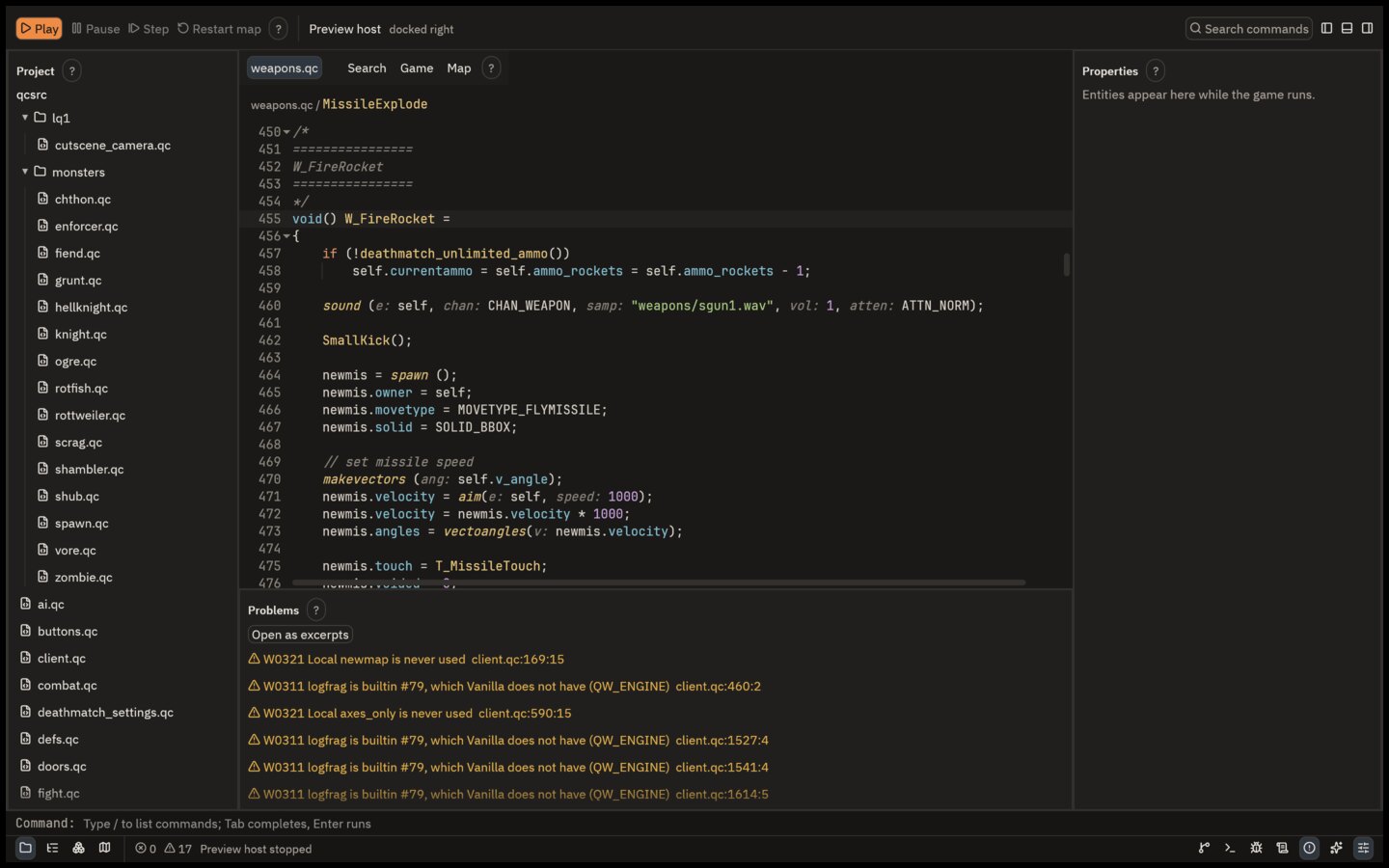
The code editor showing W_FireRocket in LibreQuake's weapons.qc, coloured by what each name is, with parameter names shown inline and compiler warnings listed in Problems.

Screenshots

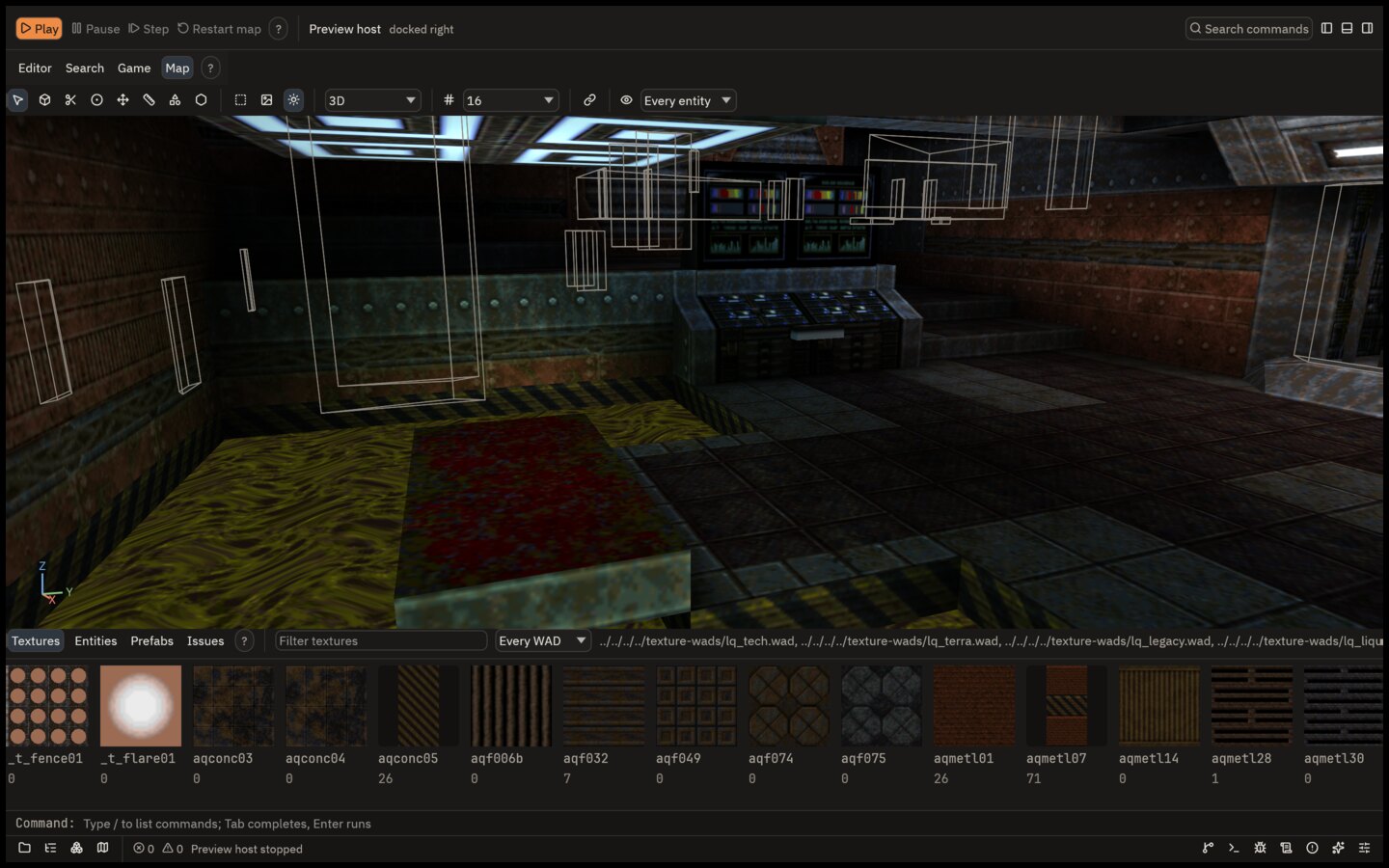
The map editor's 3D view of a room in lq_e1m1 lit by its compiled lightmaps: blue ceiling lights over yellow slime and a raised lava pool, riveted walls and a bank of glowing consoles.
Lit the way the game lights it. The map with its lightmaps and coloured light, drawn the way QuakeSpasm draws them, while you keep editing.
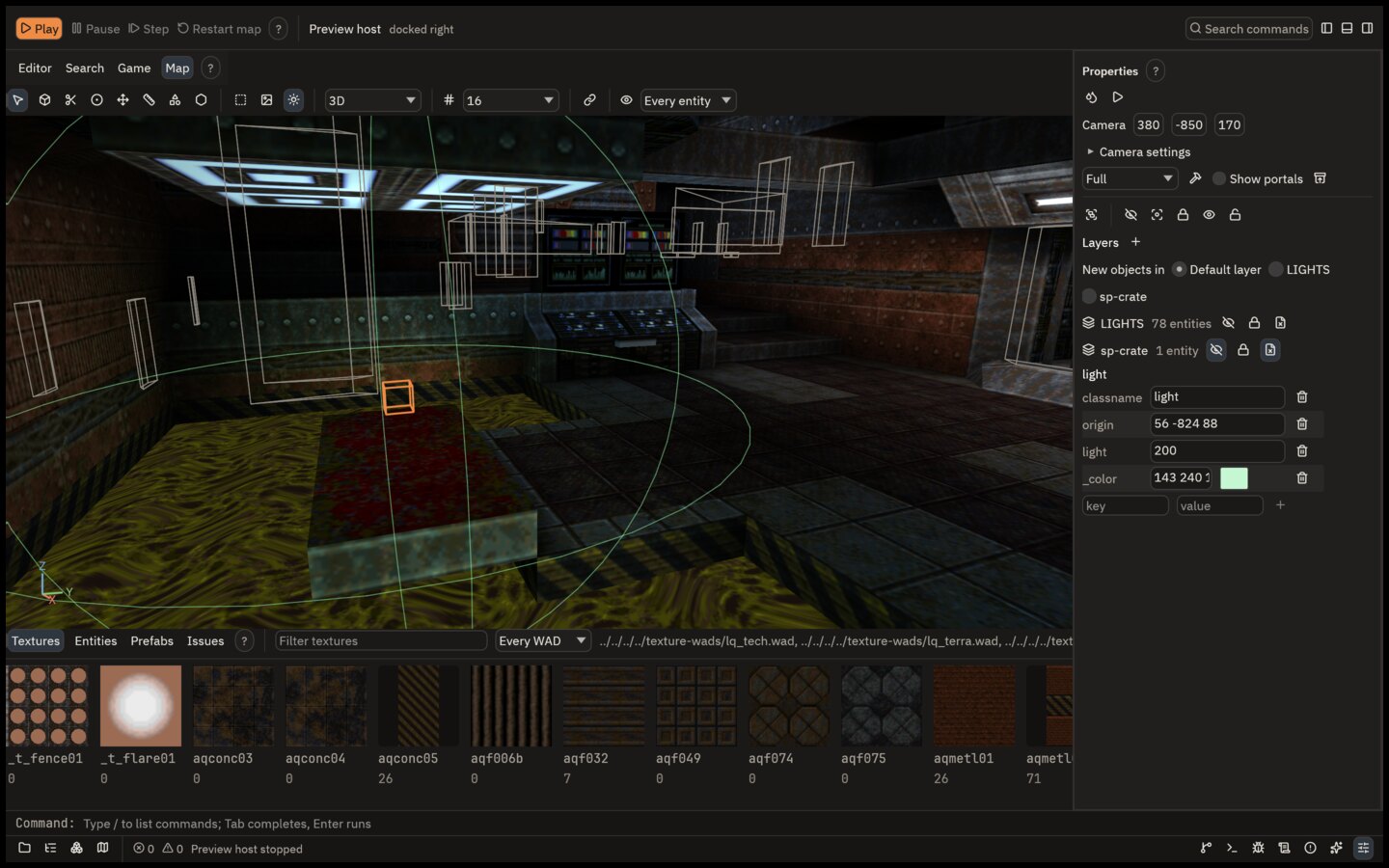
The same room with a green light selected over the slime: a green sphere shows how far it reaches, and the Properties panel lists its keys, light 200 and _color 143 240 164 with a colour swatch.
See how far a light reaches. Select a light and a sphere in its colour shows its range, next to its keys and a swatch.
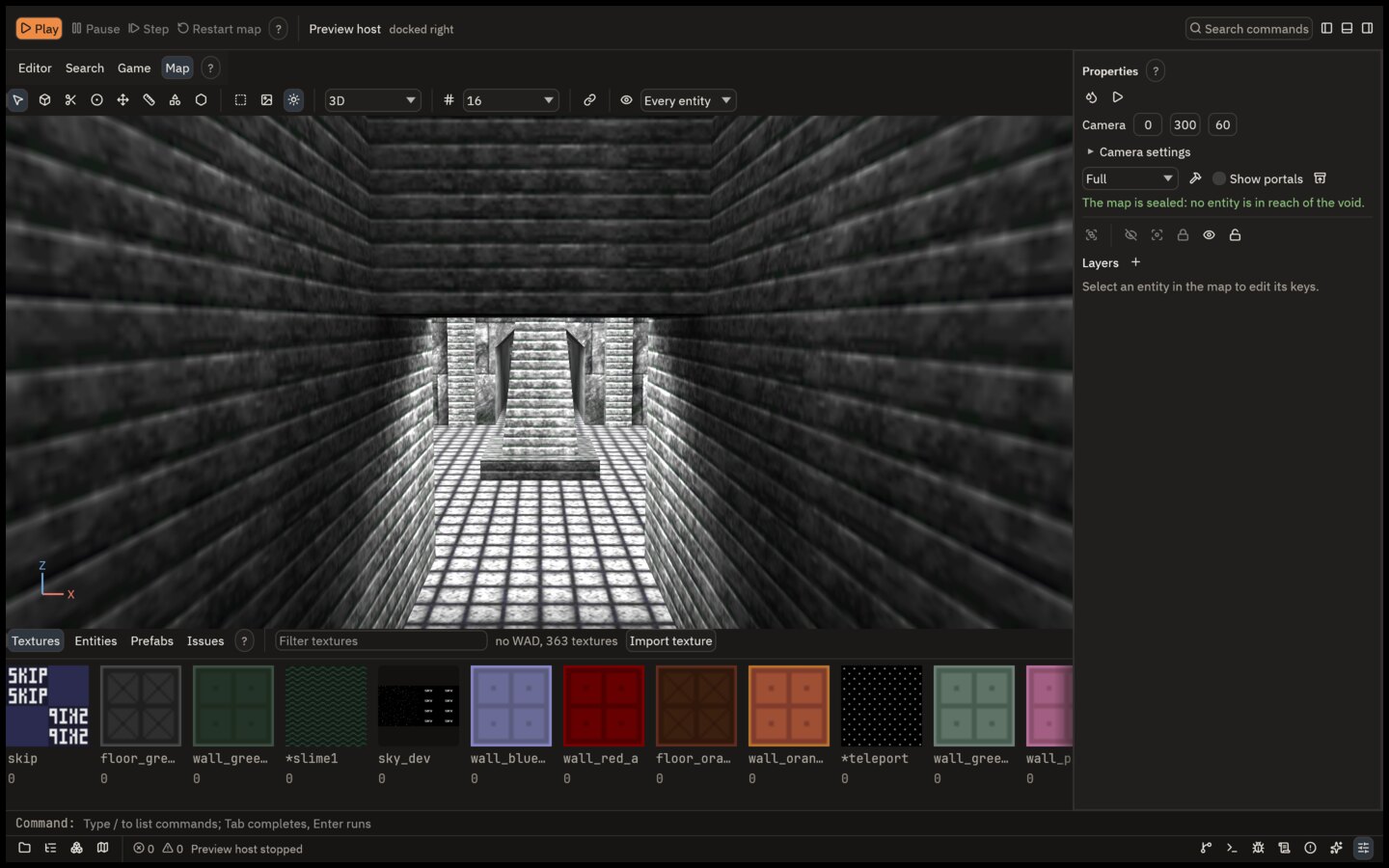
A level made by Generate map, compiled and lit: a dim stone passage leads out of the first room toward a bright second room with a stair.
A level from one button. Generate map lays out rooms and passages for you to start from, and you can build more rooms by hand.
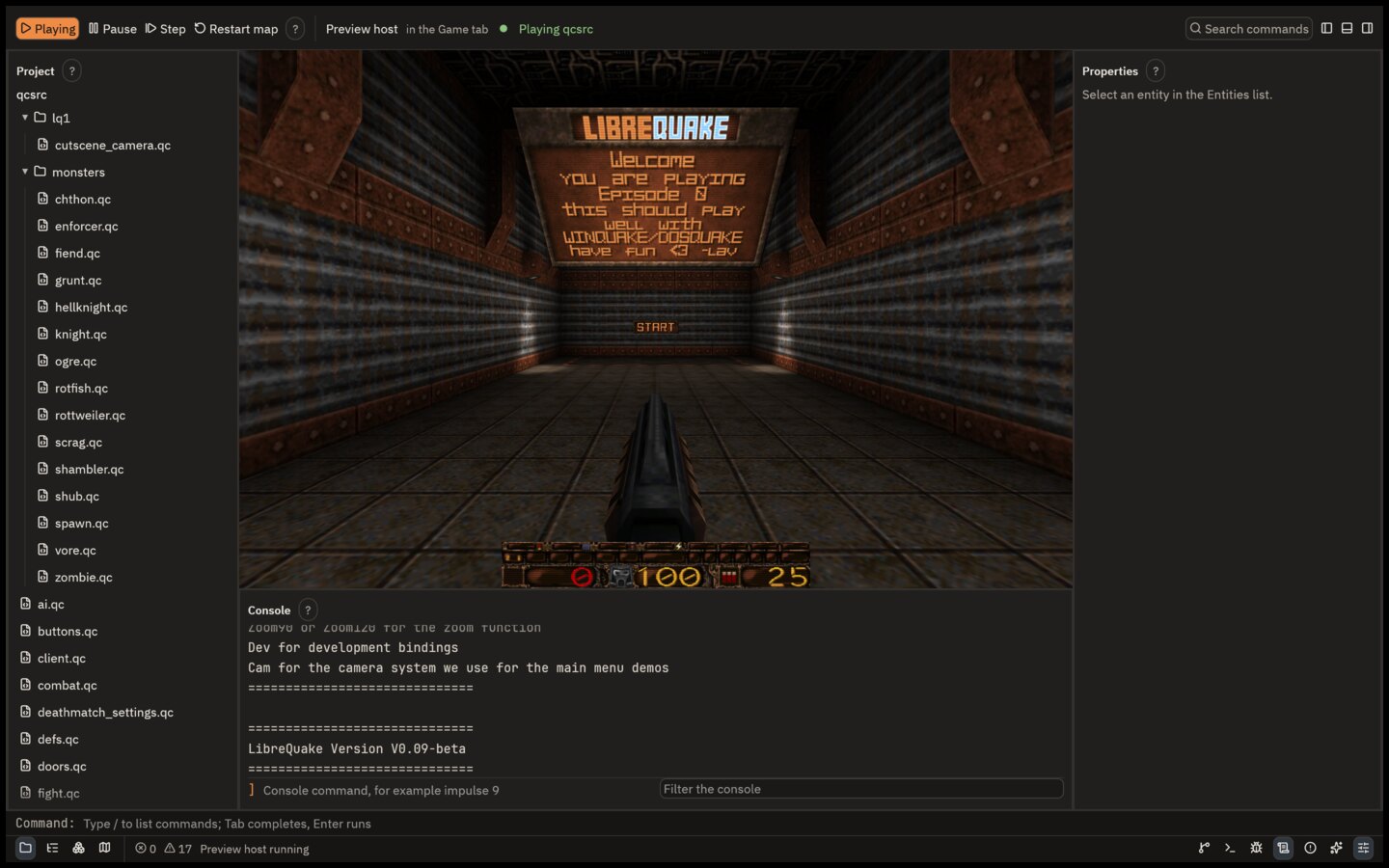
The IDE playing LibreQuake's start map in its Game tab, with the project's QuakeC files on the left and the game's console below.
The game in the IDE. Play runs the mod in the Game tab, next to its code, or in a window of its own.
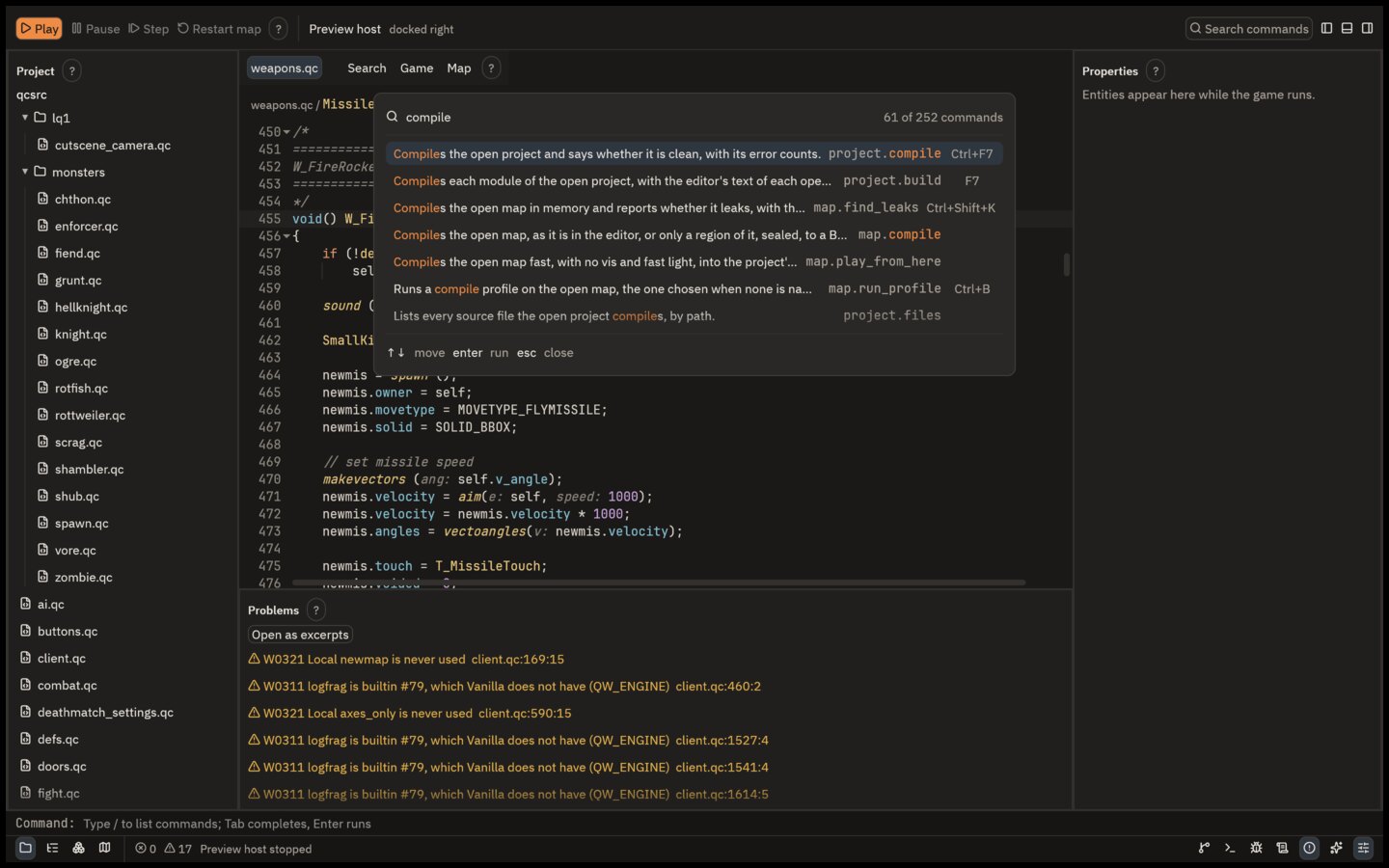
The command palette open over the editor, listing matching commands with what each does.
One list of commands. The palette, the command line, the CLI, the agent and MCP all share the same commands.

Every image here is QuakeC Studio itself, rendered from LibreQuake's maps and QuakeC. LibreQuake's textures, models and sounds are BSD-3-Clause and its QuakeC GPL-2.0; see ATTRIBUTION.md.

Also in the box

Get it

Requirements

  • macOS 11 or later on Apple silicon
  • Windows on x64 or arm64
  • Linux x86_64 or aarch64, glibc 2.35 or later, X11 or Wayland

Bring your own copy of Quake: the original or the 2021 rerelease, from Steam, GOG or elsewhere. The app finds it where it's installed. Don't own it? The free LibreQuake works too.

Install

brew install --cask quakecstudio/tap/quakec-studio

On Linux, use the APT and DNF repository at packages.quakecstudio.com. Every package is also on the download page.

Download 2026.11.5

Open source

QuakeC Studio is GPL-3.0-or-later and written in Rust. The code and issues are on GitHub. You can report a bug in the issue tracker, ask questions and talk with other modders on Discord, or support the work through GitHub Sponsors.